Mechanical keyboards continue to dominate social media feeds because of their customizable lighting, satisfying clickety-clack sound, and eye-catching aesthetics. With the colorful POP Keys mechanical keyboard and POP Mouse, Logitech aims to combine personality, productivity, and modern functionality into one playful setup designed for today’s generation of creators and casual users.
Priced at PHP 5,990 for the POP Keys, PHP 1,690 for the POP Mouse, and PHP 1,000 for the Logitech Desk Mat, the trio belongs to Logitech’s Studio Series lineup of stylish computer peripherals. The POP series mixes Logitech’s trusted features, including long battery life and multi-device connectivity, with vibrant designs and emoji-focused customization.
The Logitech POP series is loud, colorful, and undeniably trendy. But beyond aesthetics, does this keyboard and mouse combo actually deliver a good user experience? Here’s a closer look.
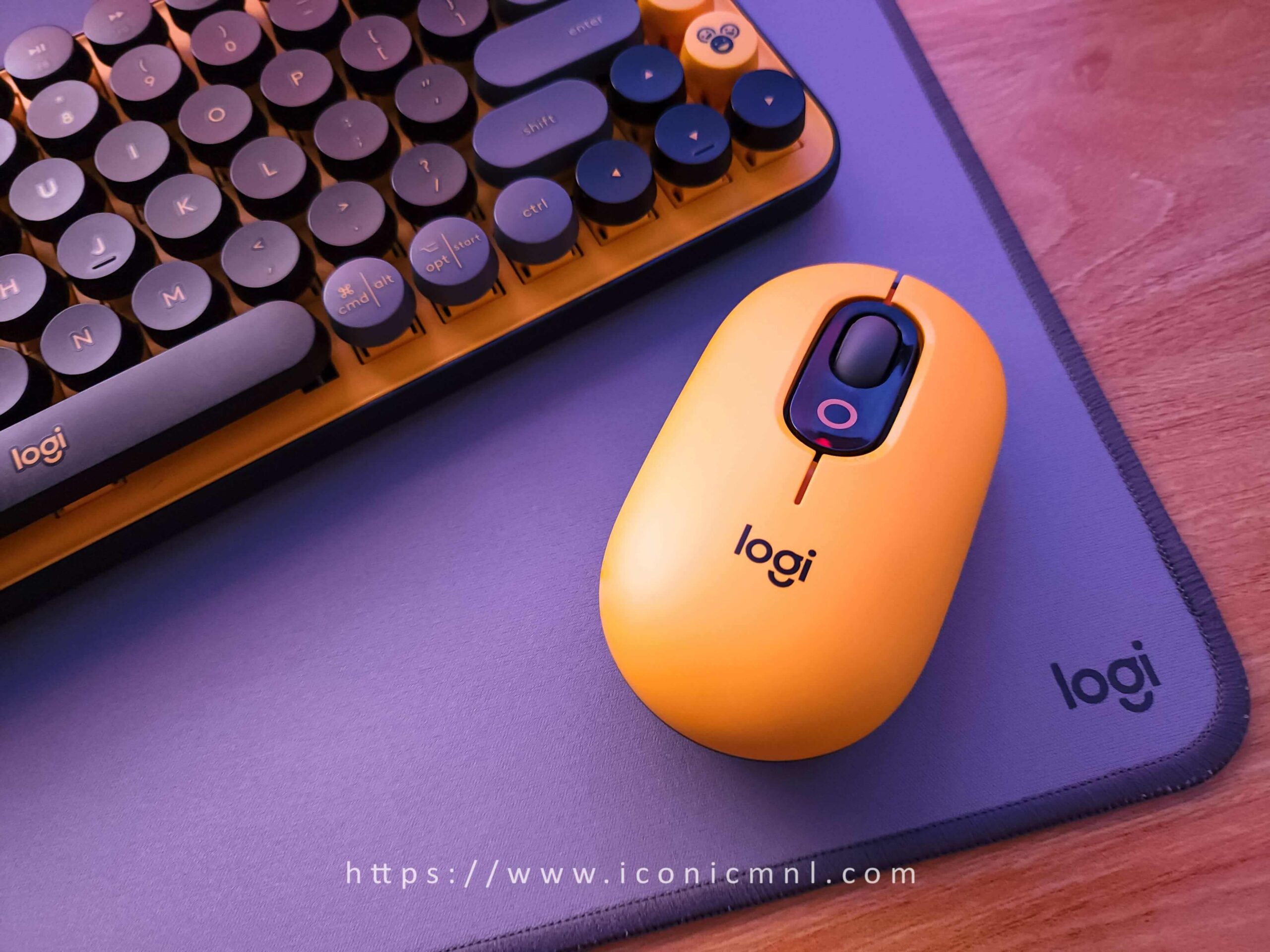
Table of Contents
Design
The Logitech POP Keys comes in three distinct aesthetics that instantly brighten up any workspace. Logitech refers to these as Daydream and Blast, which are the purple and yellow versions available in the Philippines. Each variant pairs perfectly with the matching POP Mouse for a coordinated setup.
It’s Literally Loud!
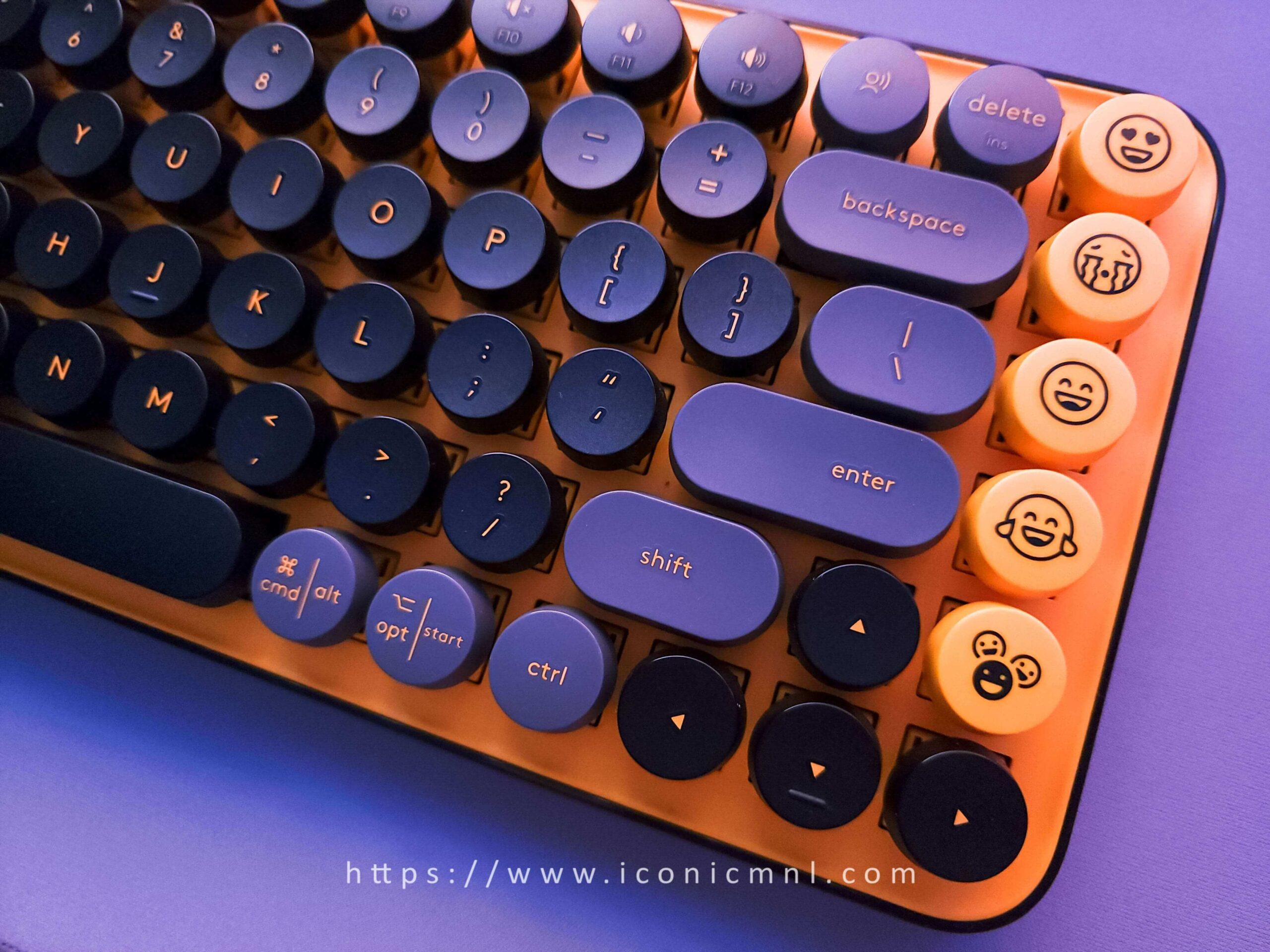
There are two things that immediately stand out when unboxing the POP Keys. The first is the heavy emphasis on emojis, while the second is the surprising weight of the keyboard itself.
The color explosion instantly grabs attention. Among the available colorways, the Blast variant stands out as the loudest and boldest design.
Although the keyboard is made primarily of thick plastic, the build quality feels durable and solid. It may not feel luxurious, but it successfully prioritizes personality and aesthetics without sacrificing sturdiness.
The Logitech POP Keys measures 35.4 x 321.2 x 138.47mm, making it compact enough for smaller desks or portable workspaces. However, at 799g, it feels heavier than expected for its size.
The typewriter-style round keycaps look fantastic on social media, but typing on them initially feels challenging. It takes time to adjust, especially for users accustomed to traditional laptop keyboards. Typing errors are common during the adjustment period, although the experience improves with continued use.
The POP Keys supports both Mac and Windows devices. However, the combined Option/Windows and Command/Alt symbols on the same keys make the layout appear slightly cluttered, especially considering how heavily the keyboard focuses on visual appeal.
Cool Yet Introverted
Unlike the flashy keyboard, the POP Mouse features a more subtle and minimal design while maintaining the same playful color scheme.
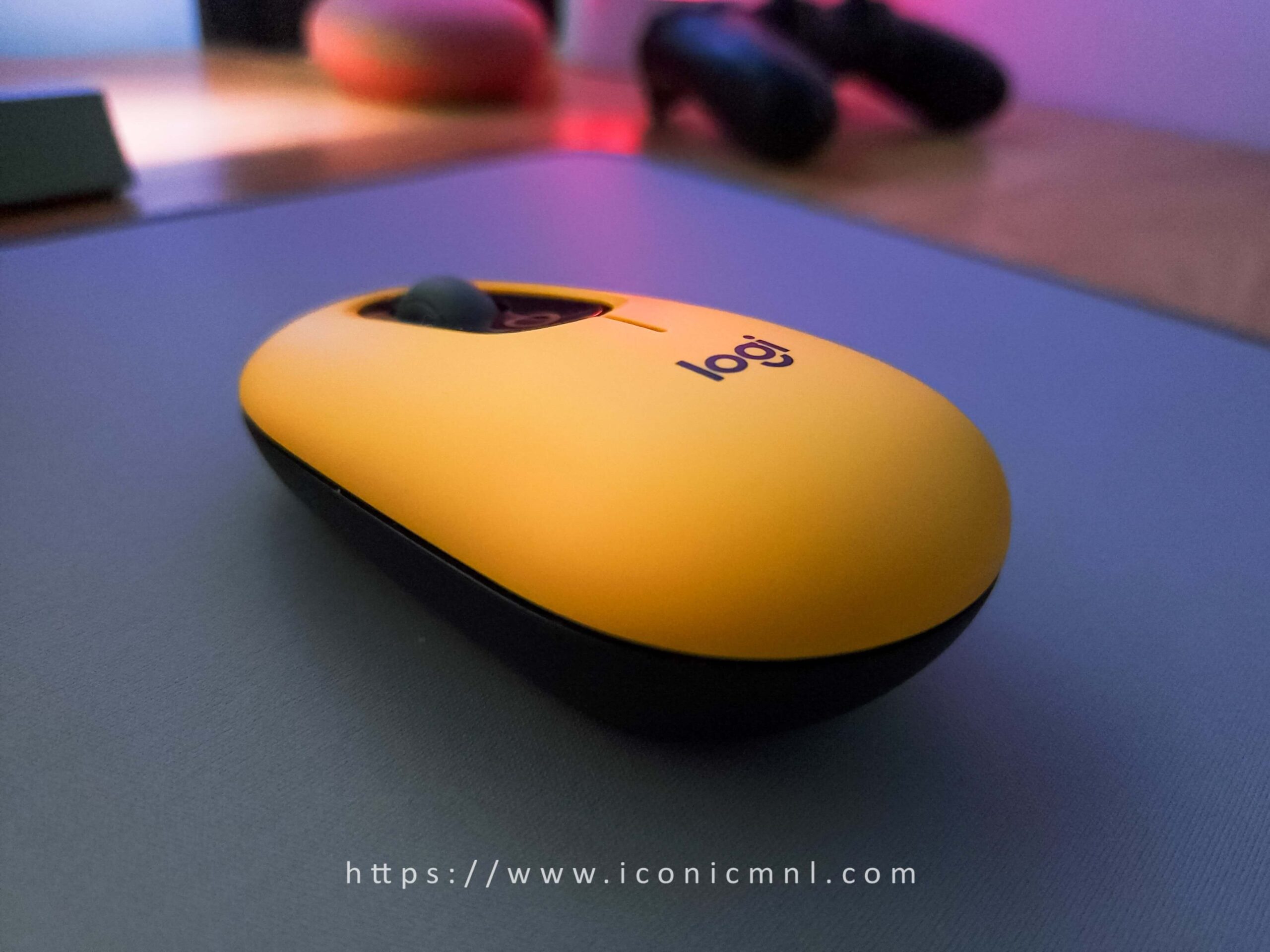
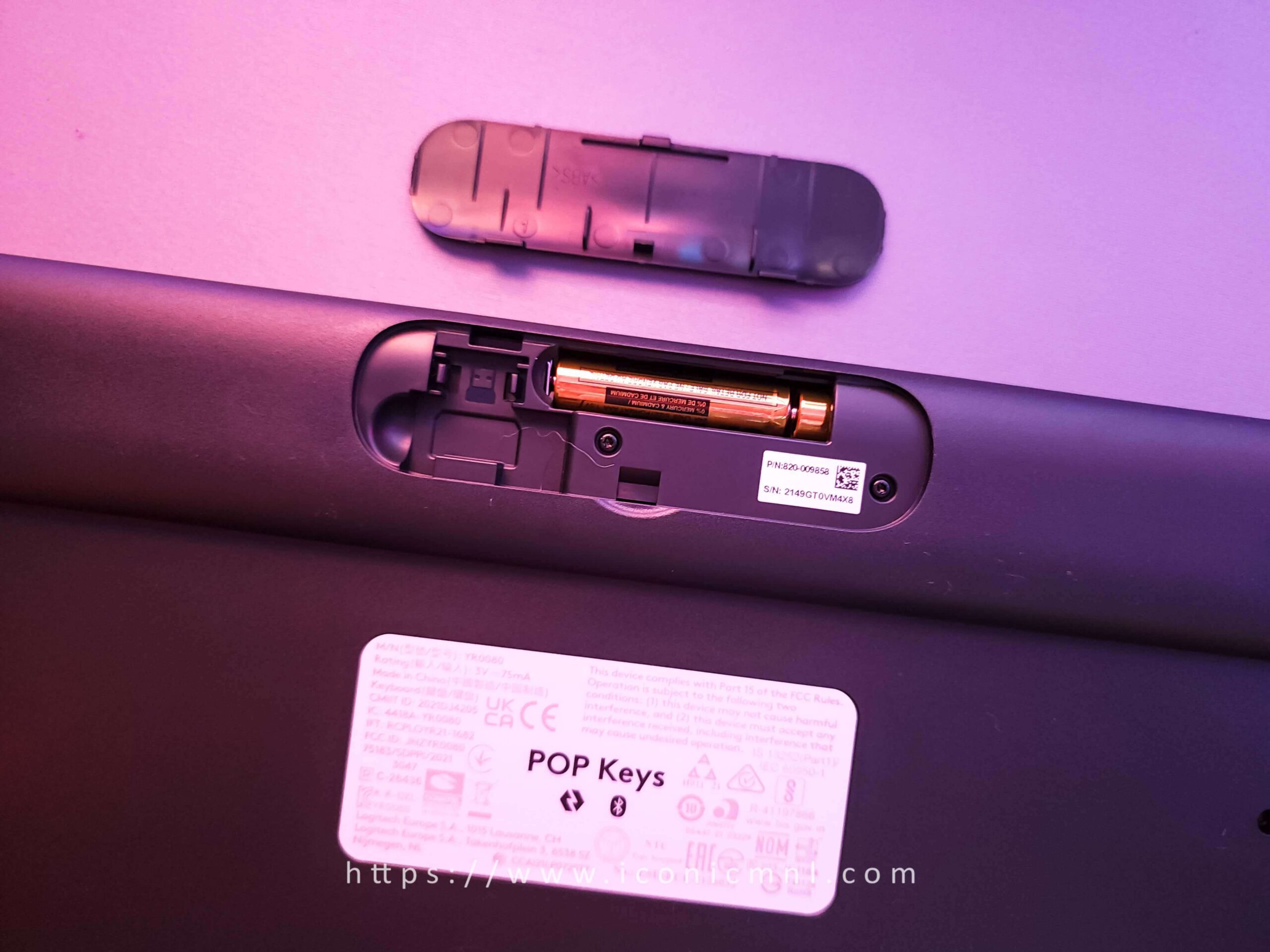
The mouse feels comfortable thanks to its contoured sides and curved rubber grips underneath, allowing smooth movement across various surfaces. Under the top shell, users can access the AA battery compartment, while a dedicated Bluetooth button allows switching between up to three paired devices.
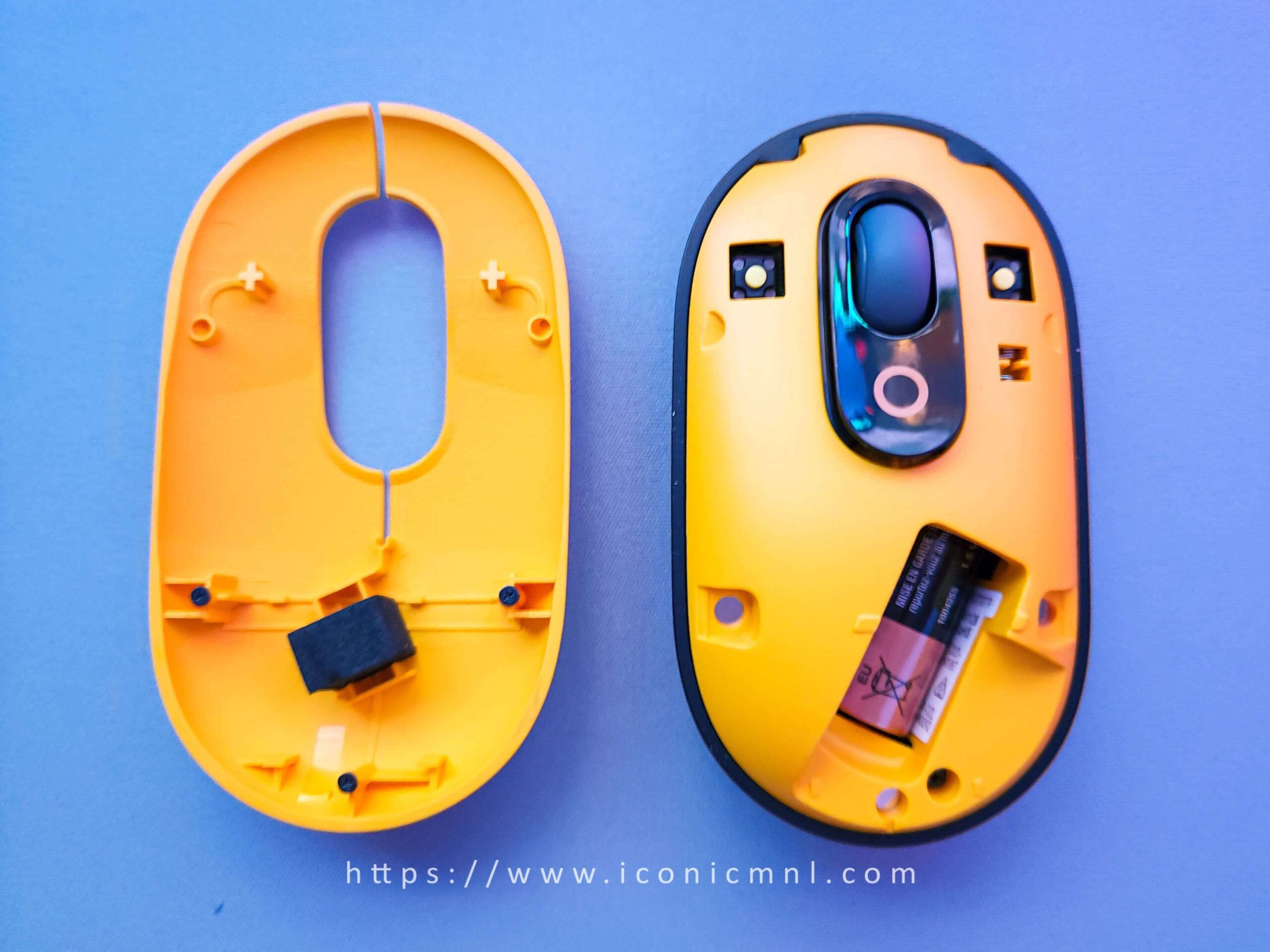
According to Logitech, the POP Mouse can last up to two years on a single AA battery.
One of the mouse’s strongest features is its silent clicking mechanism. The buttons provide excellent tactile feedback without producing loud clicks, while the scroll wheel supports both high-speed scrolling and precise adjustments.
The mouse performs exactly as expected, and Logitech’s smart scrolling technology remains one of the best features of the device.
“It is also for individuals who appreciate pure aesthetics and emojis with a little compromise. We’d say it’s designed for Generation Z.”
Features
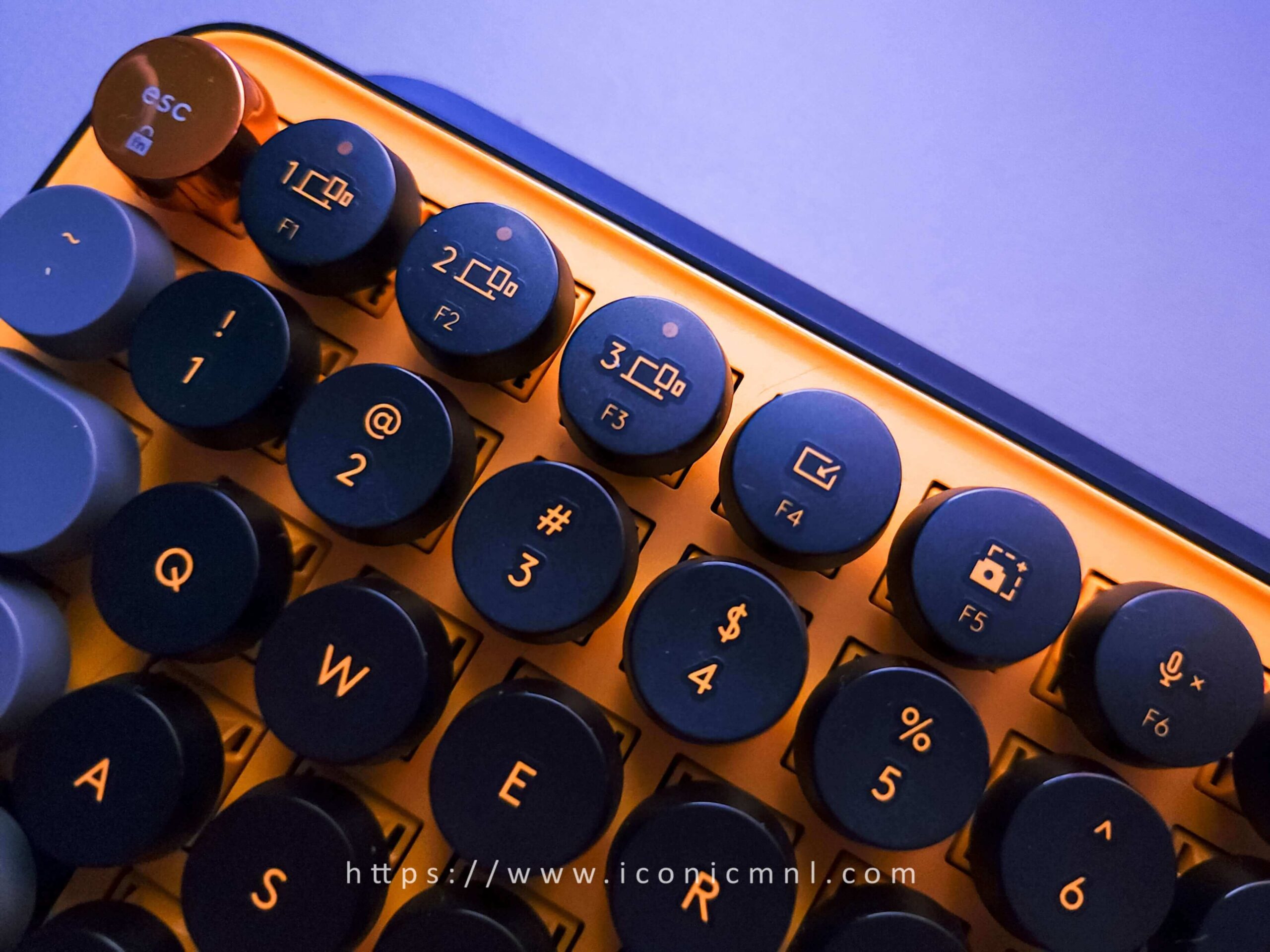
The POP Keys features typewriter-style mechanical switches with scooped keycaps and several modern shortcuts designed for productivity. Dedicated FN shortcuts include Snip Screen, Mute Mic, and media controls to support modern workflows.
Typing on the keyboard creates a satisfying click-clack experience that feels nostalgic yet modern.
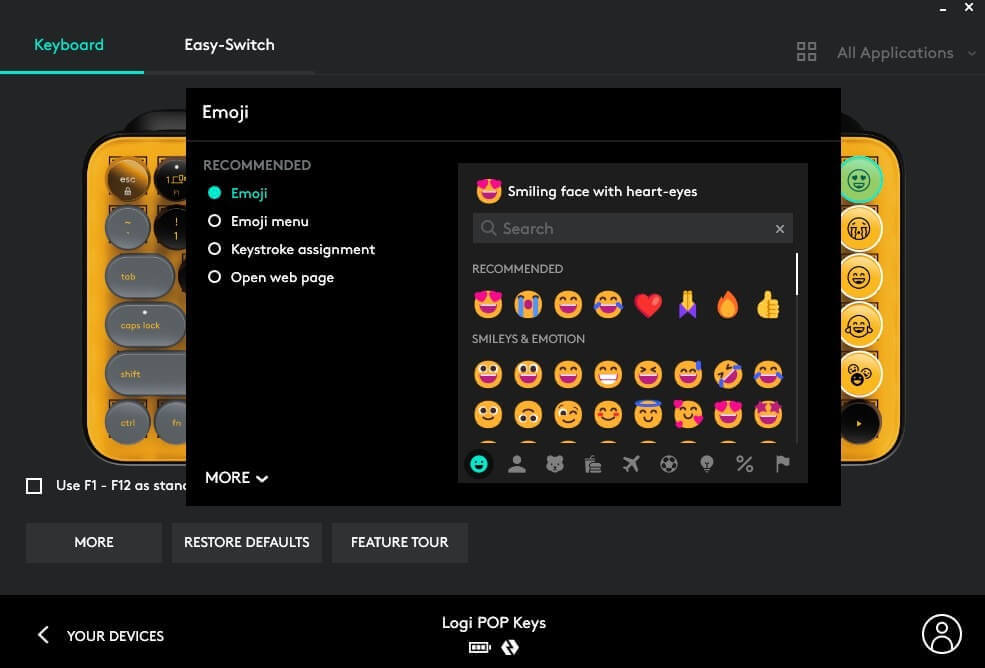
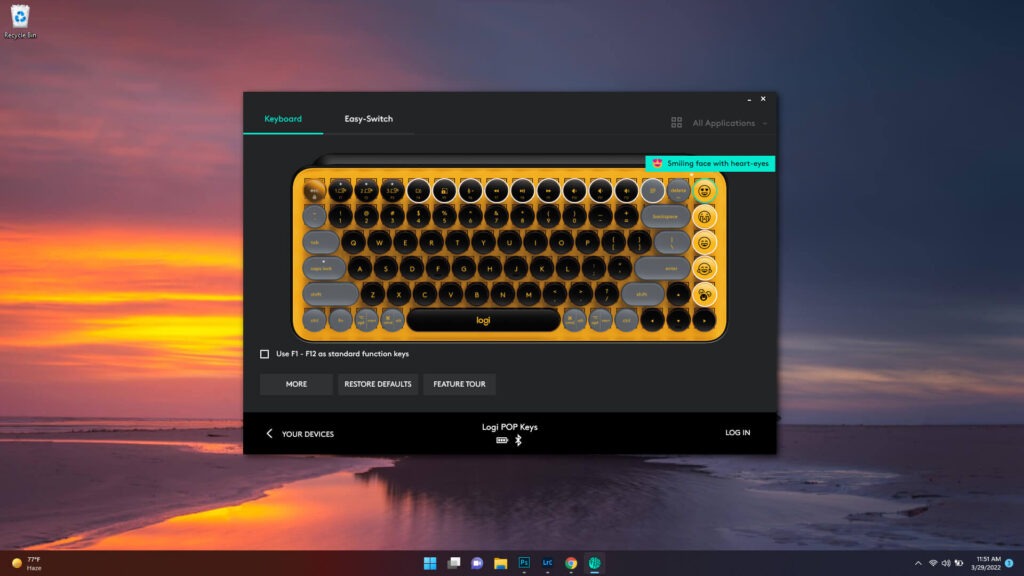
One of the standout features is the inclusion of swappable emoji keys. Logitech includes popular emojis such as heart eyes, sobbing, thumbs up, and fire emojis. Users can place four emoji shortcuts directly on the keyboard while another dedicated key opens the full emoji menu. This becomes especially useful for users who frequently use messaging apps on their computers.
Meanwhile, the POP Mouse is compact enough to fit inside a backpack or pocket, making it ideal for portable work setups. Its Smart Wheel automatically switches between precision scrolling and fast scrolling depending on usage.
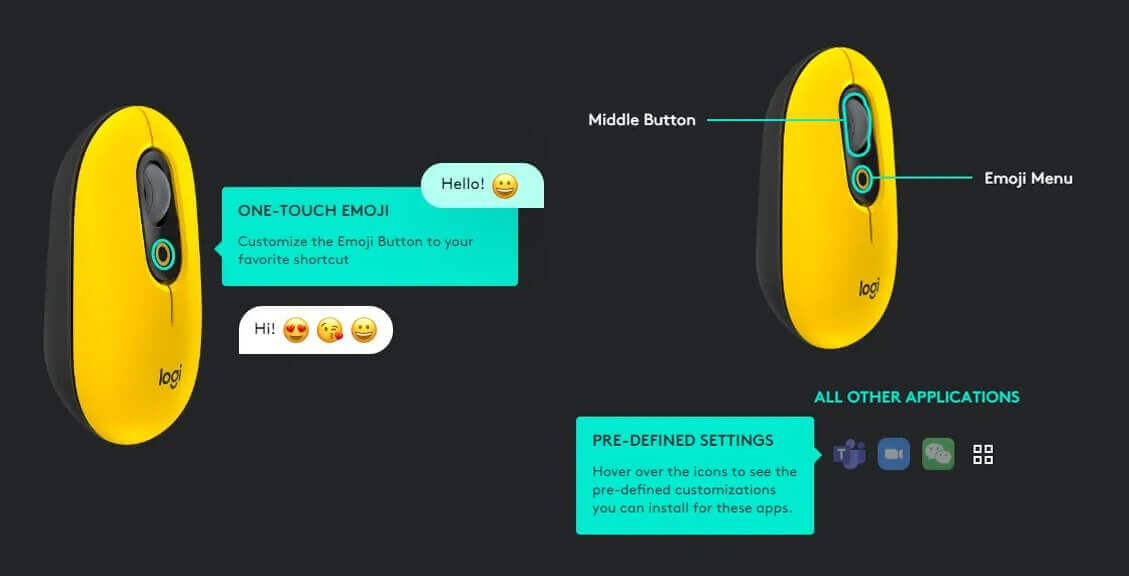
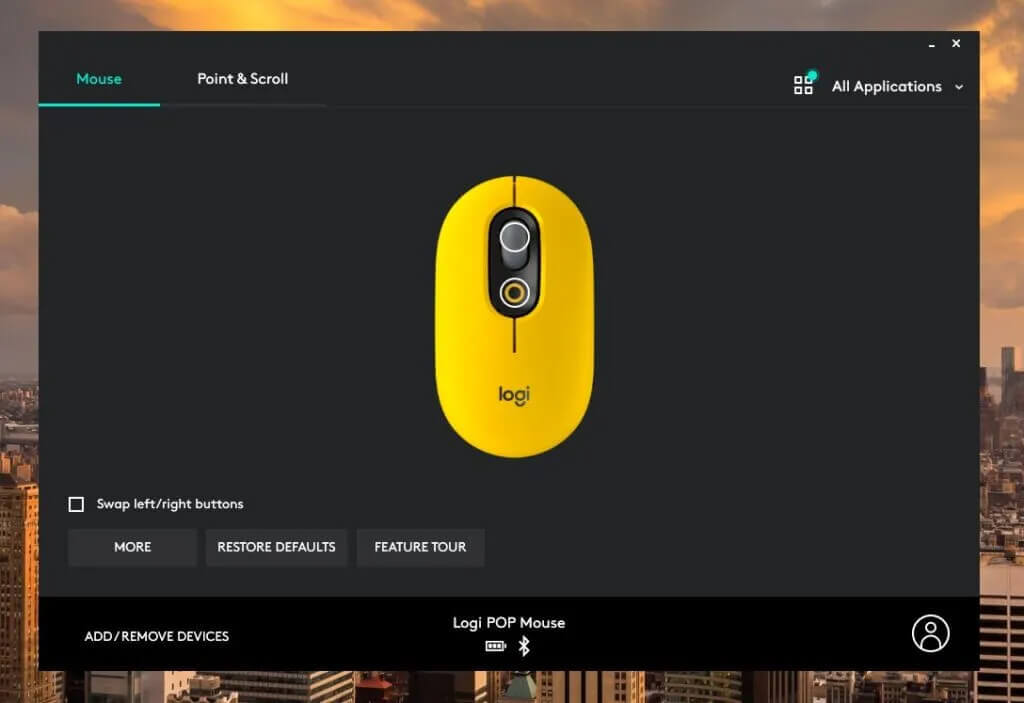
The “click in” action of the scroll wheel can also be customized through Logitech’s software.
Both POP devices support multi-device connectivity through Bluetooth or the Logi Bolt wireless receiver, allowing users to connect up to three devices simultaneously. Like most Logitech products, both devices are designed with long battery life in mind.
However, the devices do not include charging cables because they rely on replaceable batteries instead of rechargeable systems. Logitech claims the batteries can last roughly two years.
Pairing is Easy
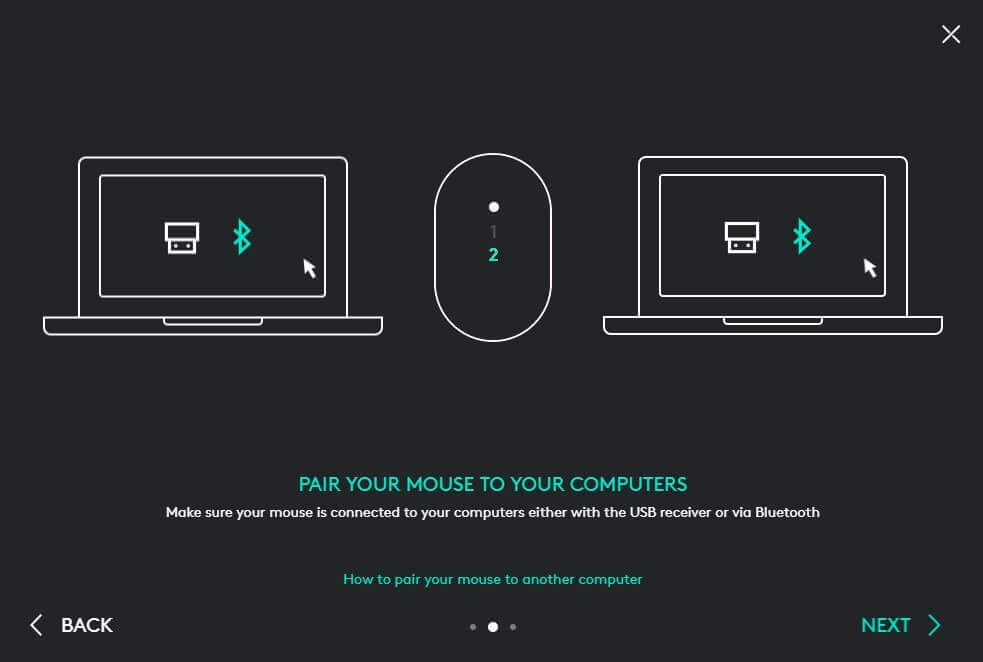
Connecting the POP Keys and POP Mouse is straightforward and beginner-friendly.
Users can cycle through three Bluetooth profiles using the buttons located underneath the mouse and the F1, F2, and F3 keys on the keyboard. Indicator lights make it easy to identify which connected device is currently active.
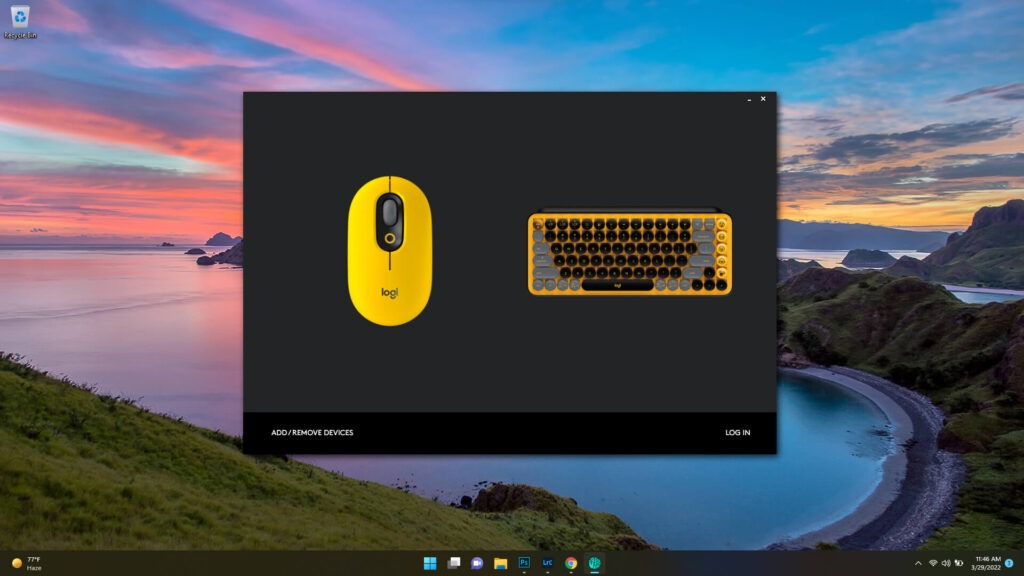
The Logitech software also allows customization of both the function keys and emoji shortcuts. This flexibility is especially useful for users who prefer productivity shortcuts over emoji-focused controls.
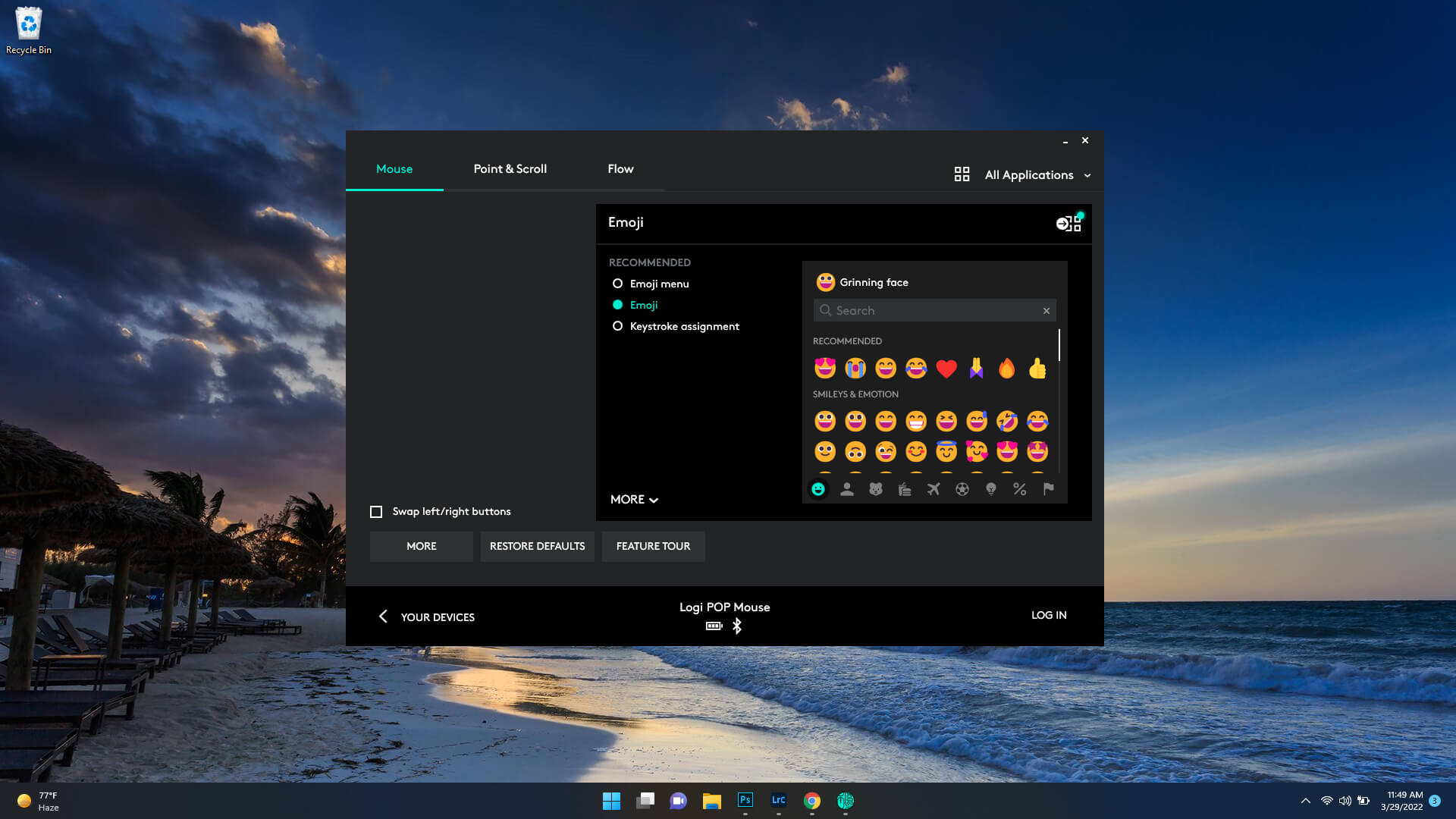
The same customization applies to the POP Mouse, allowing users to assign quick access to emojis, system functions, or the full emoji menu.
Logitech Brings a New Feature Called FLOW
A software update to Logitech Options version 9.60.87 introduced a new feature called Flow for the POP Mouse.
The feature allows users to move their cursor between multiple computers simply by reaching the edge of the screen. It also enables quick copy-pasting of text, images, and files between connected devices.
It is a convenient feature for users working across multiple computers simultaneously.
Performance
The Mechanical POP Keys Are So Lit!
The POP Keys delivers a fun and satisfying typing experience with its mechanical switches and typewriter-inspired design.
However, adapting to the round keycaps requires patience. During testing, typing speed averaged around 51 words per minute compared to 85 to 90 words per minute on a Dell 5405 laptop keyboard. Accuracy also suffered initially because of the unusual key shape and spacing.
After extended use and practice, the typing experience became more manageable and enjoyable.
Logitech Pop Keys Specifications
| Switches | TTC Brown |
| Lighting | None |
| Onboard Storage | None |
| Media Keys | With FN |
| Connectivity | Bluetooth |
| Cable | Wireless |
| Additional Ports | None |
| Keycaps | ABS Plastic |
| Software | Logitech Options |
| Dimensions (LxWxH) | 12.65 x 5.45 x 1.39 inches (321.2 x 138.4 x 35.4mm) |
| Weight | 1.7 pounds (779g) |
| Extra | Four extra emoji keycaps |
It’s an Eye-Candy
The POP Mouse performs reliably and delivers excellent scrolling performance. Logitech’s intelligent scrolling system remains one of the best features, offering fast and fluid navigation.
The customizable emoji shortcut button beneath the scroll wheel adds another layer of convenience and personality to the experience.
The mouse works as promised, and Logitech’s clever scrolling is still one of the best. It’s lightning-fast when you want it to be and silky smooth at all times. If you want accessibility to emojis, the quick access button beneath the scroll is a lovely touch, and it, too, can be customized using Logitech’s software.
Logitech Pop Mouse Specifications
| Pop Keys dimensions: | 321.2 x 138.47 x 35.4 mm |
| Pop Mouse dimensions: | 104.8 x 59.4 x 35.2 mm |
| Weight (with batteries): | 779g (keyboard) / 82g (mouse) |
| Compatibility: | Windows 10 or later, macOS 10.15 or later, iPadOS 13.4 or later, iOS 11 or later, Chrome OS 9, Android 8 or later |
Should You Buy Logitech POP Keys and POP Mouse?
It’s a mixed bag.
For writers and users who prioritize typing speed and efficiency, the POP Keys may not be the ideal choice. However, for users who value aesthetics, personality, and customization, the keyboard delivers a unique experience unlike traditional office peripherals.
The POP series is clearly designed for individuals who enjoy expressive setups, colorful workspaces, and emoji integration. It strongly appeals to Generation Z users and content creators looking for stylish desk accessories.
The POP Mouse also comes with both strengths and weaknesses. While compact and stylish, users with larger hands may find it less comfortable during extended sessions. Still, its portability, silent buttons, and customizable features make it easy and enjoyable to use.
Despite being slightly expensive, the POP Mouse works best when paired with the POP Keys as part of a complete setup.
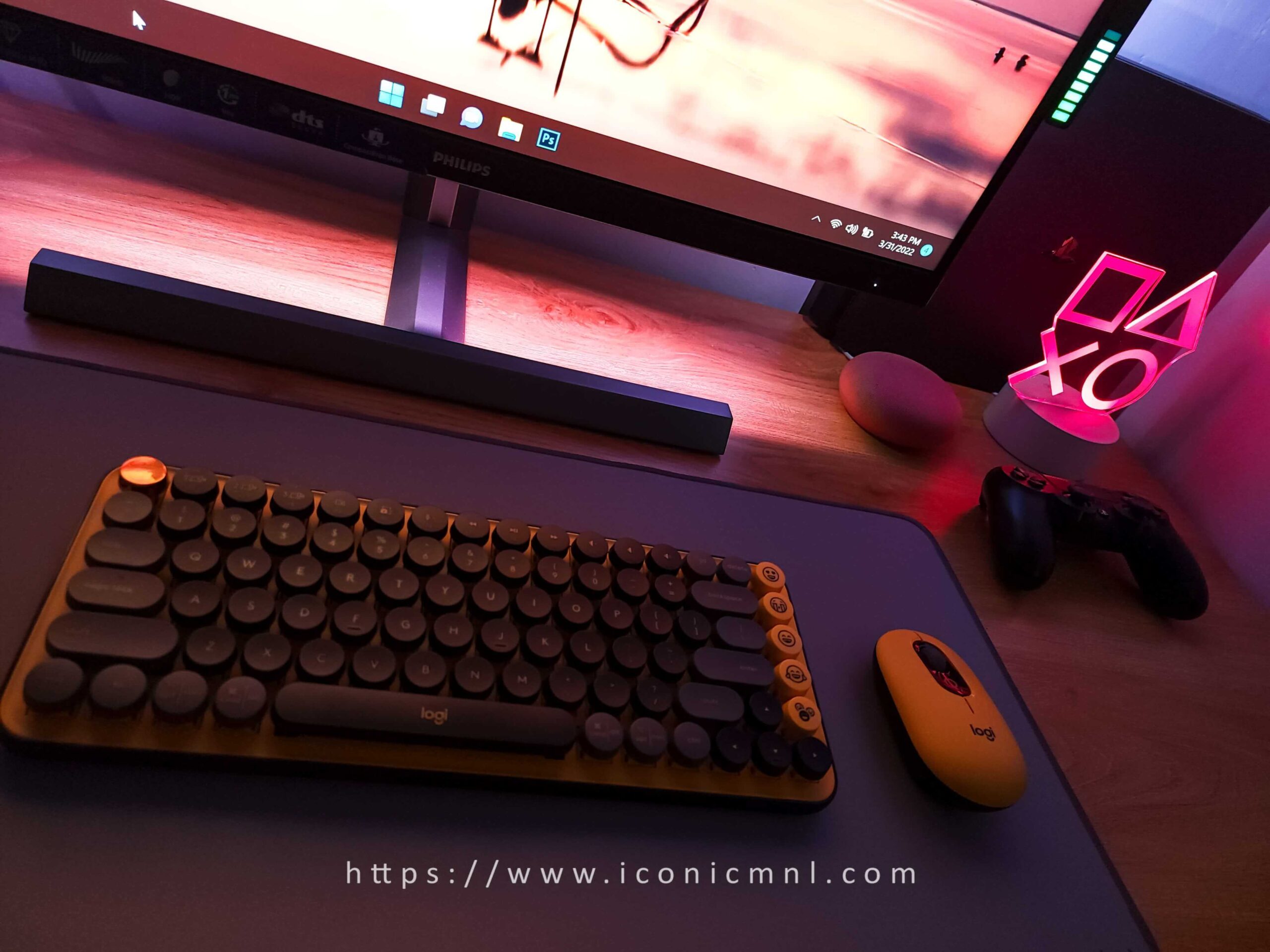
The Logitech POP Keys and POP Mouse are available in the Philippines for PHP 7,680 as a bundle. Individually, the POP Keys retails for PHP 5,990, while the POP Mouse is priced at PHP 1,690.