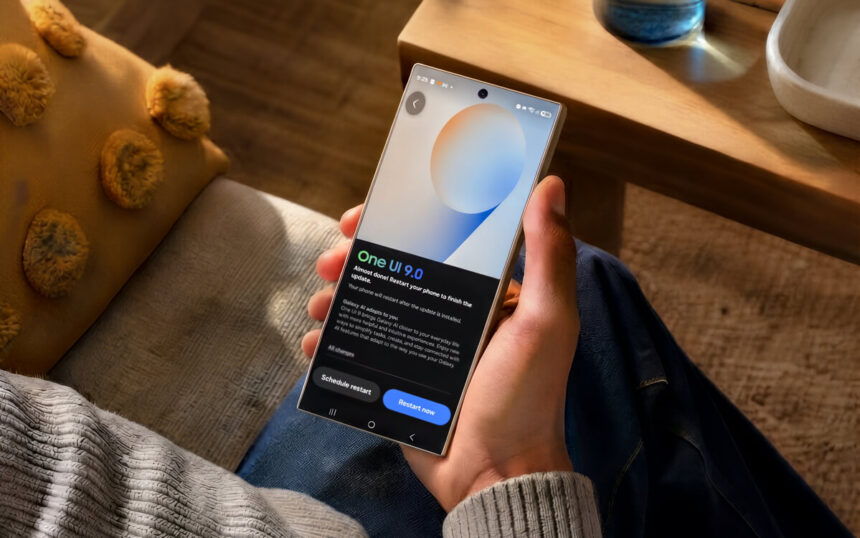
The Samsung Galaxy S26 Ultra’s One UI 9.0 update brings a wider range of Galaxy AI features, creative tools, productivity functions, personalized insights, and new options for device care and security.
The latest update guide highlights several changes that Galaxy S26 Ultra users can explore after installing the software. Among the most notable are My FanCam, which keeps a selected person front and center in videos, Warranty and Care for checking device information and getting support, and Secure Lock for quickly protecting the phone from unauthorized access.
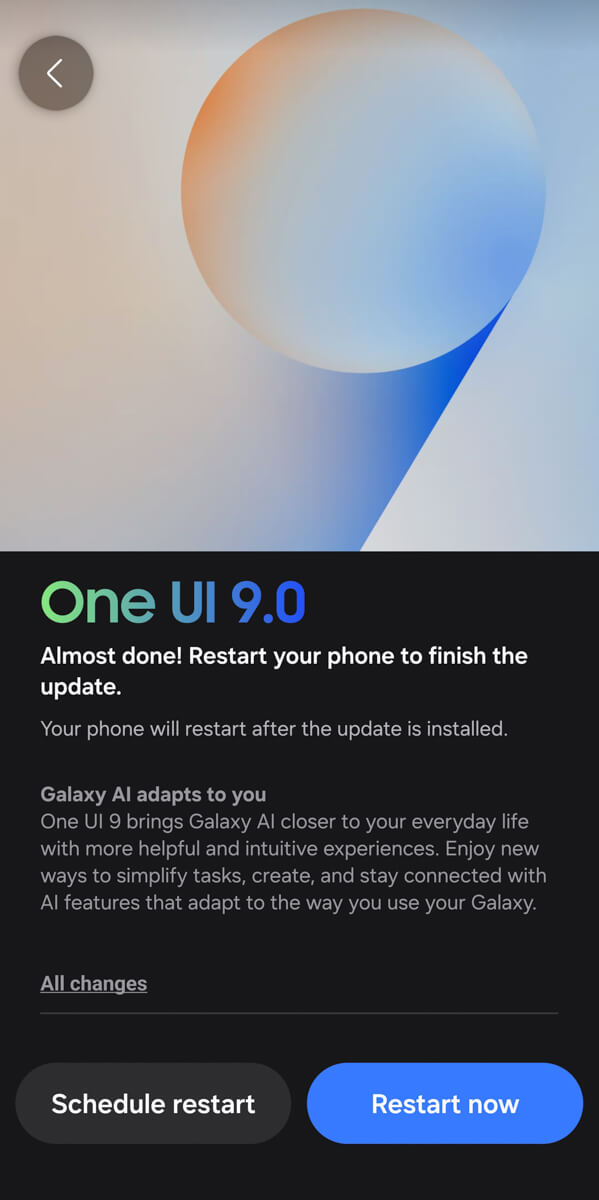
One UI 9.0 also expands Galaxy AI across communication, productivity, photography, video, and personalized information. Features including Call Assist, Writing Assist, Interpreter, Note Assist, Transcript Assist, Browsing Assist, Photo Assist, Creative Studio, Audio Eraser, Weather Wallpaper, Now Brief, Now Nudge, and Notification Highlights give the Galaxy S26 Ultra a broader collection of AI-powered tools.
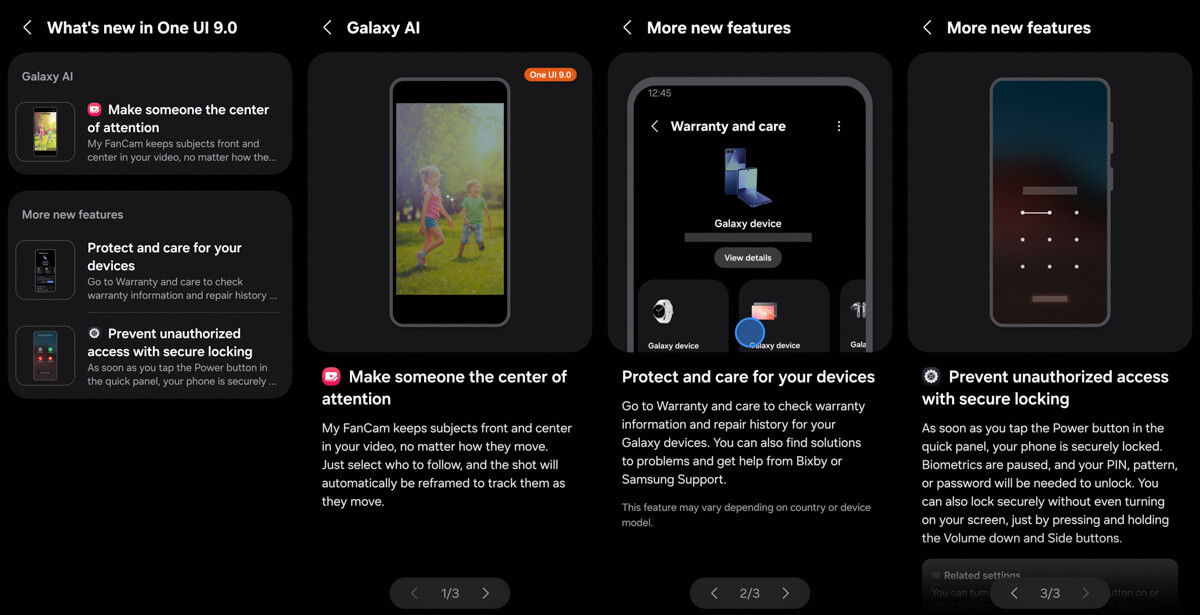
My FanCam Keeps Subjects Front and Center
My FanCam is one of the most exciting additions in One UI 9.0, particularly for people who regularly shoot videos. The feature is designed to keep a selected person front and center in a video, regardless of how that person moves.
Galaxy S26 Ultra users can select who they want to follow, and the shot automatically reframes to track that person as they move. This gives videos a way to keep attention on a chosen subject even when that person is moving around the frame.
This is also the feature that stands out most from a content creation perspective. Keeping a subject centered while shooting video can be challenging, especially when the person moves around during a shot. Having a feature that can automatically reframe the footage around a selected subject could make the editing process easier and faster.
For content creators who regularly shoot videos, this is one of the One UI 9.0 features that is especially worth trying. The ability to select a subject and have the shot automatically reframed around that person could reduce some of the work normally involved in correcting framing during editing. It is also one of the features that the team is personally excited to try after receiving the update.
The update also expands the Galaxy S26 Ultra’s creative tools beyond My FanCam. Photo Assist can reimagine images with AI by adding new elements, moving objects, removing unwanted elements, and transforming photos into styles such as cartoons and paintings.
Creative Studio provides additional ways to create visual content. It can transform simple sketches into artwork, create images from text descriptions, and turn photos into different artistic styles.
Audio Eraser can eliminate distracting noise from audio and video so voices and other sounds are easier to hear. Weather Wallpaper also uses AI to change a user’s own photo based on the time and weather.
Galaxy AI receives several communication improvements as well. Call Assist can let AI screen calls, translate them in real time, and show relevant information about them. Writing Assist provides tools to compose, organize, and improve text, while also offering chat translation and suggested replies to text messages.
Interpreter provides live translation of spoken conversations, with output available as voice or text. The updated experience also allows conversation history to be scrolled through while continuing to talk.
Productivity is another major focus of the One UI 9.0 update. Note Assist can automatically format, summarize, spell check, and translate text. It can also transcribe and summarize recordings and decorate notes with AI-generated covers and images.
Transcript Assist can transcribe voice and call recordings into text and summarize them for easier review. Browsing Assist can provide simple summaries of webpages, translate text and images, read summarized webpages aloud, and provide highlights from articles and posts on select sites.
The update also adds more personalized information through Now Brief and Now Nudge. Now Brief provides a personalized briefing with suggested content and actions that can change throughout the day. Now Nudge provides suggested actions based on what is displayed on the screen to help with tasks more quickly and easily.
Notification Highlights can also prioritize and summarize important notifications, helping surface key information more quickly.
Warranty and Care Makes Device Management Easier
One UI 9.0 also introduces Warranty and Care as a dedicated place to manage information and support for Galaxy devices.
Galaxy S26 Ultra users can go to Warranty and Care to check warranty information and repair history for their Galaxy devices. The feature can also provide solutions to problems and offer help through Bixby or Samsung Support.
This gives users a central place to find important information about their Galaxy devices when they need to check warranty details, review repair history, or look for help with a problem.
The update guide also notes that the Warranty and Care feature may vary depending on the country or device model. This means the options available through the feature can differ depending on the device and market.
Secure Lock Adds a Faster Way to Protect the Galaxy S26 Ultra
One UI 9.0 also introduces Secure Lock, which provides a quick way to protect the Galaxy S26 Ultra and prevent unauthorized access.
Secure Lock can be activated by tapping the Power button in the Quick Panel. Once the phone is securely locked, biometric unlocking is paused. A PIN, pattern, or password is then required to unlock the device.
The Galaxy S26 Ultra can also be securely locked without turning on the screen. Pressing and holding the Volume Down and Side buttons activates the secure locking function.
The two options give Galaxy S26 Ultra users a choice between using the Quick Panel or physical buttons when they need to secure the phone. In both cases, the update makes it possible to temporarily require a PIN, pattern, or password instead of relying on biometric unlocking.
One UI 9.0 also provides information about data collection when using Galaxy AI advanced intelligence features. The first time such a feature is used in an app or service that requires data collection to provide results, the device informs the user before the data is collected and processed.
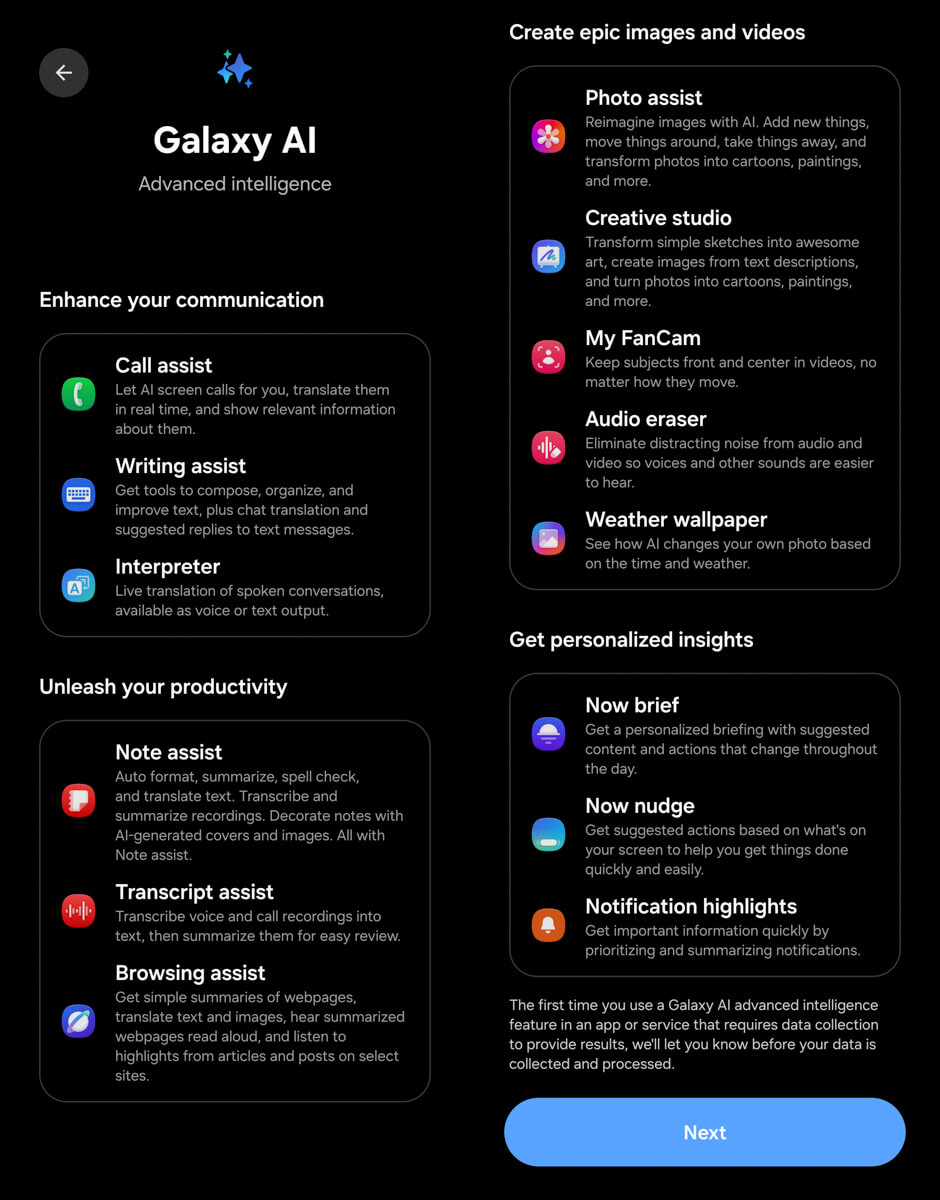
What One UI 9.0 Adds to the Galaxy S26 Ultra
The One UI 9.0 update brings Galaxy AI into more areas of the Galaxy S26 Ultra experience. Communication features such as Call Assist, Writing Assist, and Interpreter focus on calls, text, and spoken conversations, while Note Assist, Transcript Assist, and Browsing Assist provide tools for working with notes, recordings, and webpages.
Creative features including My FanCam, Photo Assist, Creative Studio, Audio Eraser, and Weather Wallpaper expand the ways Galaxy S26 Ultra users can work with photos, videos, audio, and other visual content.
Personalized features also play a role in the update. Now Brief provides changing content and action suggestions throughout the day, while Now Nudge offers suggested actions based on what is displayed on the screen. Notification Highlights adds another way to surface important information by prioritizing and summarizing notifications.
Beyond Galaxy AI, One UI 9.0 adds practical features for managing and protecting the device. Warranty and Care provides access to warranty information, repair history, troubleshooting solutions, Bixby, and Samsung Support. Secure Lock provides a quick way to lock the Galaxy S26 Ultra and require a PIN, pattern, or password when biometric unlocking is paused.
For Galaxy S26 Ultra users exploring the new software, these features represent the key changes highlighted in the One UI 9.0 update guide. From keeping a person centered in a video to managing device support and securing the phone, the update expands the number of tools available across everyday Galaxy S26 Ultra use.